 Scamy
ScamyCommon scams in India to watch for in 2026
A May 2026 guide to UPI collect requests, OTP fraud, fake job offers, courier messages, AI voice lures, and investment scams.
Read guideFree scam checker
Paste suspicious text, add a URL, or upload evidence. Scamy highlights red flags before you click, pay, or share an OTP.
Text-only, URL-only, file-only, and mixed submissions are supported.
Add context above if the link came from a text message, email, or marketplace chat.
Optional: add a screenshot or PDF (PNG, JPG, WEBP, PDF)
Scamy sends text, URLs, and extracted file text to OpenAI for scam analysis. Uploaded files are sent to OCR.space only to extract text, then Scamy deletes the temporary upload immediately after the request finishes. No Scamy account is required. Privacy policy
Review suspicious text, links, screenshots, and PDFs in one place so users can check the message and the evidence together.
Open scannerTurn detection into better judgment with checklists, tips, scam examples, and lightweight quizzes that teach repeatable habits.
Explore learn toolsGive people a place to compare suspicious cases, report patterns, and ask others whether a link or message feels off.
Visit communityAfter a scan, let users generate a clean downloadable summary they can share with family, support teams, or internal reviewers.
See reporting flowStart with whatever you have: a suspicious message, a URL, a screenshot, an image, or a PDF. The scanner combines those signals into one structured review.
Scan now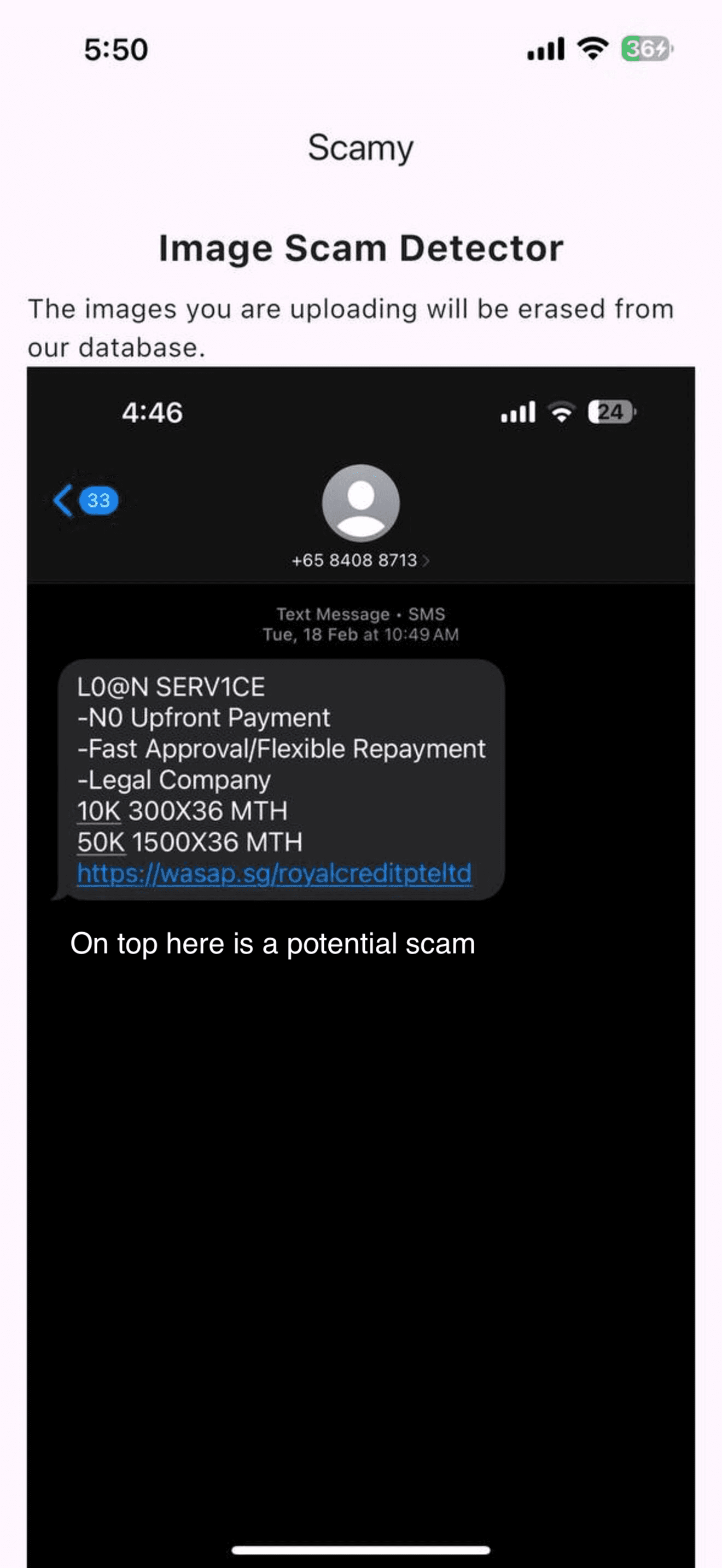
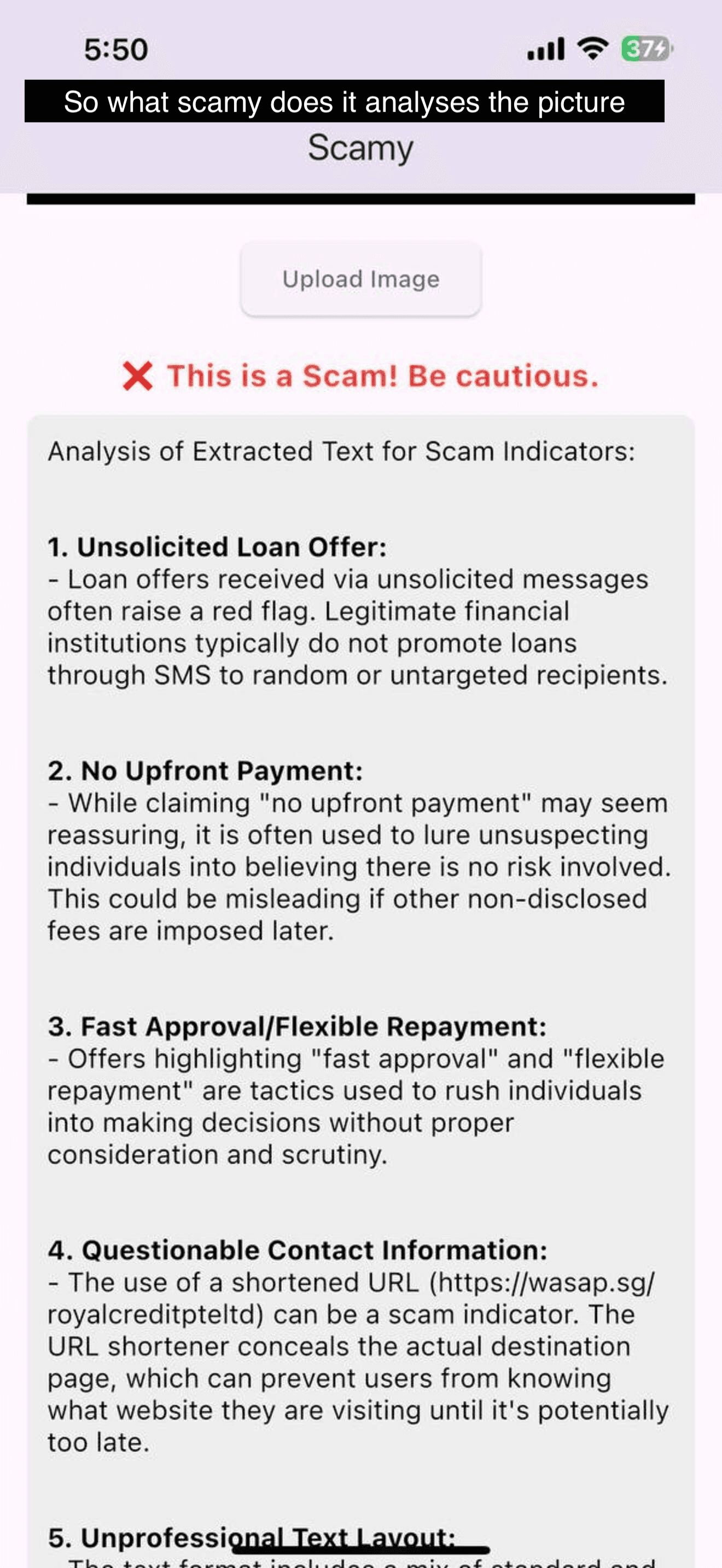
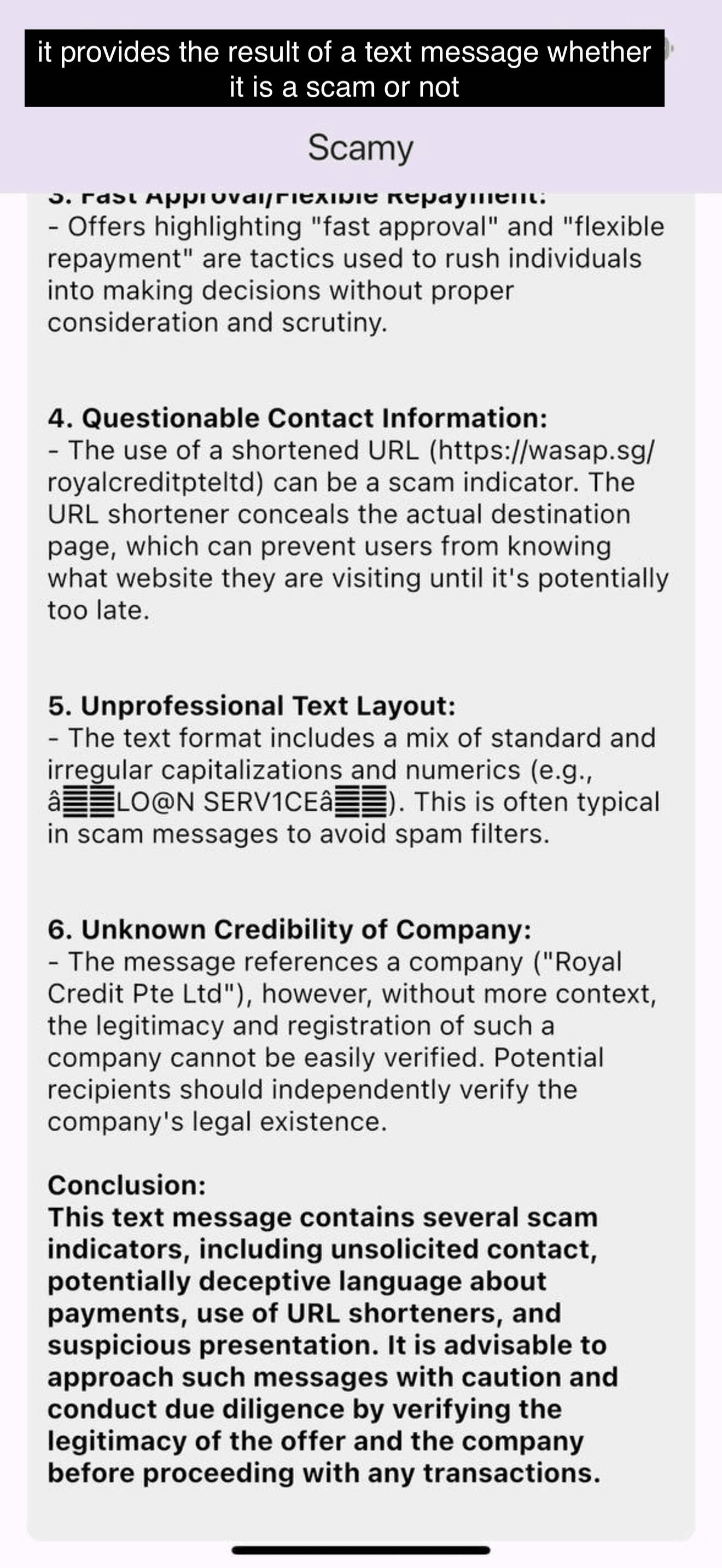
Scamy does not save uploads to its database. Temporary files are deleted immediately after analysis, and text is sent to third-party AI services only to produce the scam review.
The analysis looks for pressure tactics, impersonation cues, suspicious payment instructions, and other common fraud indicators.
Users can submit common image types and PDFs, which are the formats most often used when sharing screenshots of suspicious messages.
Many scam victims do not need a long cybersecurity course first. They need a quick way to review a suspicious document and then clear advice on what to check next. This site is built around that exact moment.
In practice, that means helping visitors check whether a message, invoice, UPI payment request, OTP request, link, or attachment looks like a scam before they reply, pay, download anything, or share personal details.
Check screenshots or PDFs before paying when the sender, bank details, or urgency feel unusual.
Use Scamy as a fake job offer checker for India and global recruiter messages that ask for up-front fees, off-platform chats, or weak identity verification.
Review messages that pressure you to click links, confirm logins, or move the conversation elsewhere.
Even when a message looks convincing, a short manual review often catches what urgency hides, especially for OTP fraud, UPI collect requests, fake support chats, and urgent job-offer payments.
After a scan, users can download a summary that captures the suspicious link, pasted message, uploaded file name, and the AI verdict in one plain-language report.
That gives the website a practical reporting step right after detection, which is often what people need when they are escalating a case to a colleague, friend, or support team.
Individuals, families, small teams, and community groups that regularly encounter suspicious emails, invoices, or online marketplace conversations.
Use the analysis as a screening tool, then verify banking changes, account notices, and support requests through an official phone number or website.
Sophisticated scams can still appear legitimate. High-stakes decisions should never rely on a single automated result.
Scam safety articles
Short guides for India, Singapore, and global users who want to understand suspicious messages before they click, approve a payment, or share a one-time password.
A May 2026 guide to UPI collect requests, OTP fraud, fake job offers, courier messages, AI voice lures, and investment scams.
Read guideLearn the pressure tactics, link tricks, sender clues, and payment language that make a message worth checking.
Read guideUse this checklist before approving UPI collect requests, refunds, QR codes, account updates, or payment reversals.
Read guideBrowser Extension
We now have a browser extension MVP that captures the current tab URL, selected text, and page context, then opens Scamy with everything pre-filled for analysis.
Reliability
Social proof matters for security products. These App Store reviews help show that people trust the product experience, find it easy to use, and rely on it when speed and clarity matter.
“Scamy is too good app. Highly recommended”
Fifti55
Jan 27, 2026
“What impressed me most is how it explains why something could be a scam instead of just labeling it as dangerous. When I upload a message or image, the app highlights suspicious elements and clearly explains the red flags in simple language. This makes it very easy to understand, even if you're not tech-savvy.”
johnn.,
Jan 24, 2026
“I love that it explains why something is suspicious, rather than just giving a yes/no answer. It scans messages, images, or links very quickly and highlights all the red flags clearly. This has helped me learn so much about common online scams and how to avoid them. The app is very user-friendly and works fast, which is great when you want instant results.”
Dima Al-Malki
Jan 23, 2026
Scamy combines file analysis with educational guidance so visitors can understand why a message looks risky, not just receive a label. The goal is to help people make safer decisions in real situations.
Scamy can review pasted message text, suspicious URLs, screenshots, image files, and PDFs. It works best when the submission includes the message, link, or document text that made you pause.
No. Scamy is an assistive tool. It highlights patterns commonly found in scams, but users should still verify financial requests, account changes, and sensitive instructions with the official source.
No. Scamy provides general scam-safety information and automated risk signals. It is not legal, financial, banking, insurance, or law-enforcement advice, and high-stakes decisions should be checked with the right professional or official organization.
Yes, but laws, reporting channels, and privacy rights vary by country and region. Users should follow the rules that apply where they live and report urgent fraud to their bank, platform provider, local police, or national scam-reporting service.
Scamy does not save scan submissions to a Scamy database. Uploaded files are held in temporary server storage only for the analysis attempt, sent to OCR.space to extract text, and then deleted by Scamy immediately after the request finishes. Text, URLs, and extracted file text are sent to OpenAI to produce the scam analysis.
The Terms explain what the tool can and cannot do, how users should handle sensitive content, and how responsibility works when laws differ across countries. Reading them helps users understand the limits before relying on a result.